
Contact support
One inbox, and a short list of things to include so the first reply is an answer rather than a request for more information.
How to reach us
[email protected], the RCS Business Messaging team.
- Hours
Monday–Saturday, 10:00–19:00 IST. Messages outside those hours are picked up the next working day.
- Write from your registered address
Anything touching account access, billing or credentials has to come from an address on the account. We cannot action those from an unrecognised sender, which is the point.
What to include
Your account email
The address the account is registered under. Without it we cannot find you.
What you were trying to do
One sentence. "Start a broadcast to my Diwali list" locates the problem far faster than "it isn't working".
The exact error text
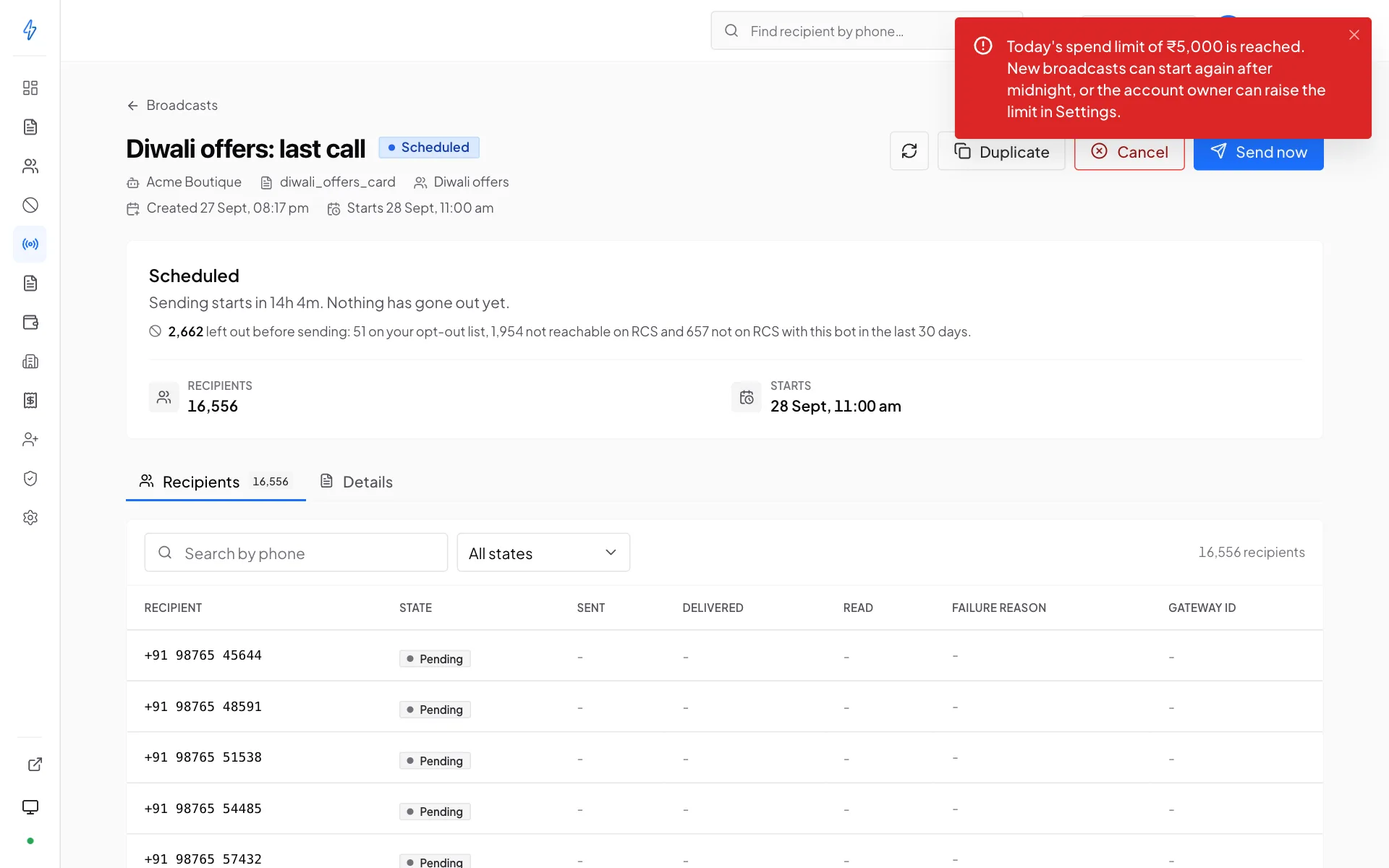
A screenshot of the message, not a paraphrase. Errors here carry a specific reason and often a
code. That text usually identifies the cause outright.The relevant ids
Bot name for a sender problem, broadcast id for a send, template name for a review, invoice number for billing.
When it happened
Date and time, with the time zone. It is how we find the right entries in the logs.
Check the troubleshooting page first
Blocked sends, delivery failures, rejected templates, import problems and missing menu items are all covered, with the specific fix. Troubleshooting →
Things only support can do
These are not in the panel by design, so email is the only route:
- Change the account owner email
The owner email is the account's identity, so it cannot be edited in the panel. Write from the current owner address.
- Reset two-step verification
When you have lost both the authenticator and your recovery codes. The reset removes the second factor and emails the account holder. It never reveals or re-issues your secret. Then you set it up again from scratch. More →
- Raise a bot's send rate
TPS is set at activation and is not adjustable from the panel. Tell us the bot and the volume you need to sustain.
- Switch between prepaid and postpaid
Talk to your account contact. It depends on volume and terms.
- Correct an issued invoice
Fix the billing profile first so future invoices are right, then send the invoice number. More →
- Reconcile a payment that did not land
Send the payment reference and amount. Do not pay again, a duplicate payment becomes a refund you have to chase.
- Force sign-out of every session
The right response to a suspected compromise. Change the password immediately afterwards.
- Run a schedule in a non-IST time zone
Recurring broadcasts fire on IST and there is no per-schedule setting. Tell us what you need rather than working around it with an offset.
- Resolve a GSTIN or website already registered elsewhere
Usually a colleague who started an account first, find them before writing. If you are certain it is wrong, send proof of ownership.
If your account or a bot is suspended
A suspension always states its reason, in the panel and in the email that announced it. Reply to that email. It already has the context, so replying to it is faster than starting a new thread.
While a bot is suspended, only that bot stops; the rest of the account keeps sending. While the whole account is suspended, new sends are blocked but templates, lists, invoices and past broadcasts stay readable.
Reporting something urgent
Say so in the subject line and include the account email and the broadcast id. For anything that looks like a security problem, a leaked key, a compromised login, an unexpected send, say that explicitly and revoke the credential yourself first. Revoking takes effect immediately and does not need us.