
Dashboard
The first screen after sign-in. It answers two questions: is anything wrong, and how did the last sends do.
Every role sees the dashboard, but the numbers are scoped, an operator or viewer sees only the bots they have been granted.
Set up your account
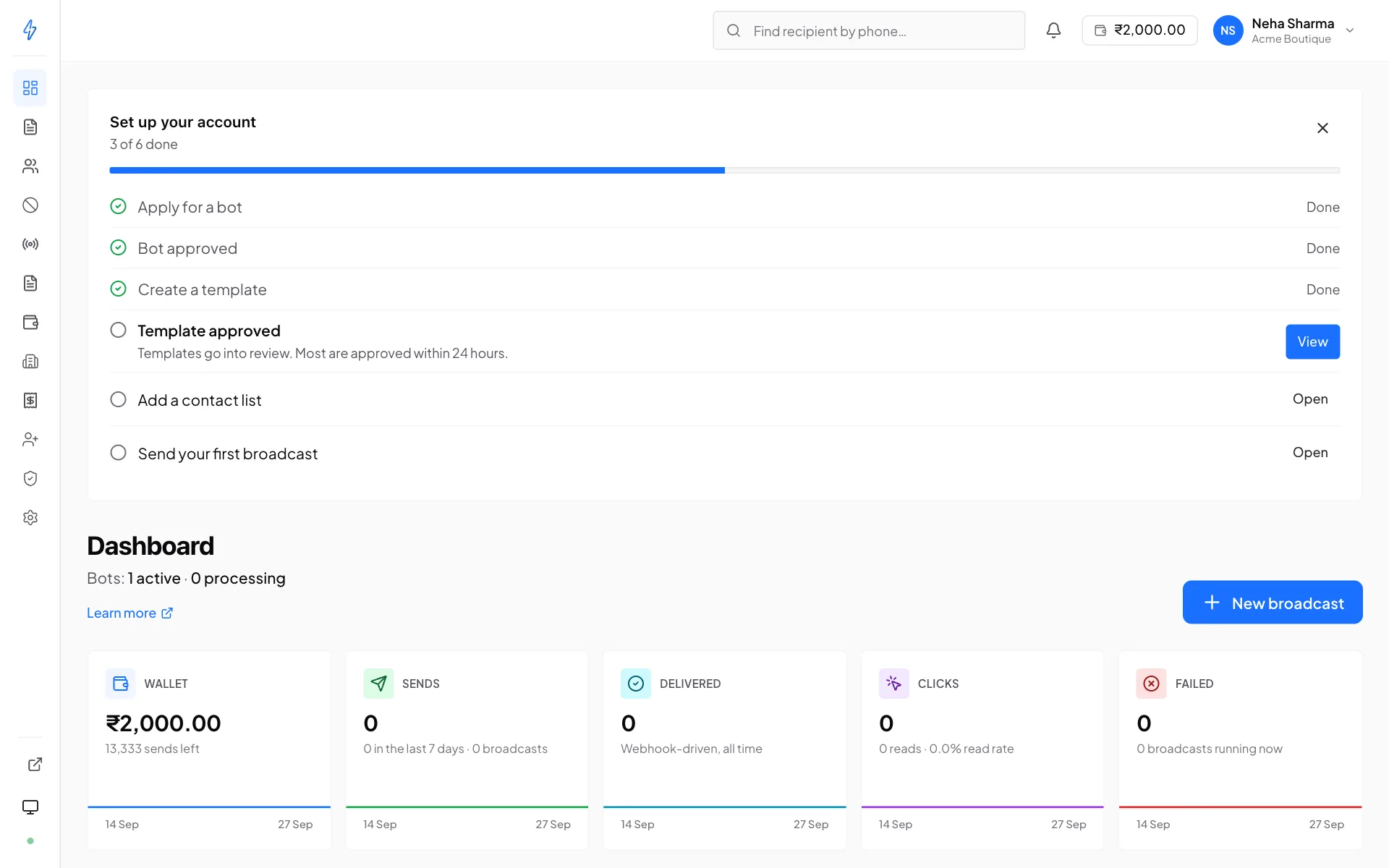
On a new account, the owner sees a Set up your account card at the top, with a bar and how many steps are done, for example 3 of 6 done.
Each step ticks by itself from what is on your account, so there is nothing to mark by hand. The next step to do shows a short hint and a Start button, or View for a step that waits on a review. The other open steps have Open. Once a broadcast has gone out, the template and list steps count as done too.
- Only the account owner sees the card. A suspended account does not show it.
- Press the cross to hide it. It stays hidden in that browser.
- It goes away by itself once all six steps are done.
- While it shows, it takes the place of the Apply for RCS card, because its first step opens the same form.
Headline numbers
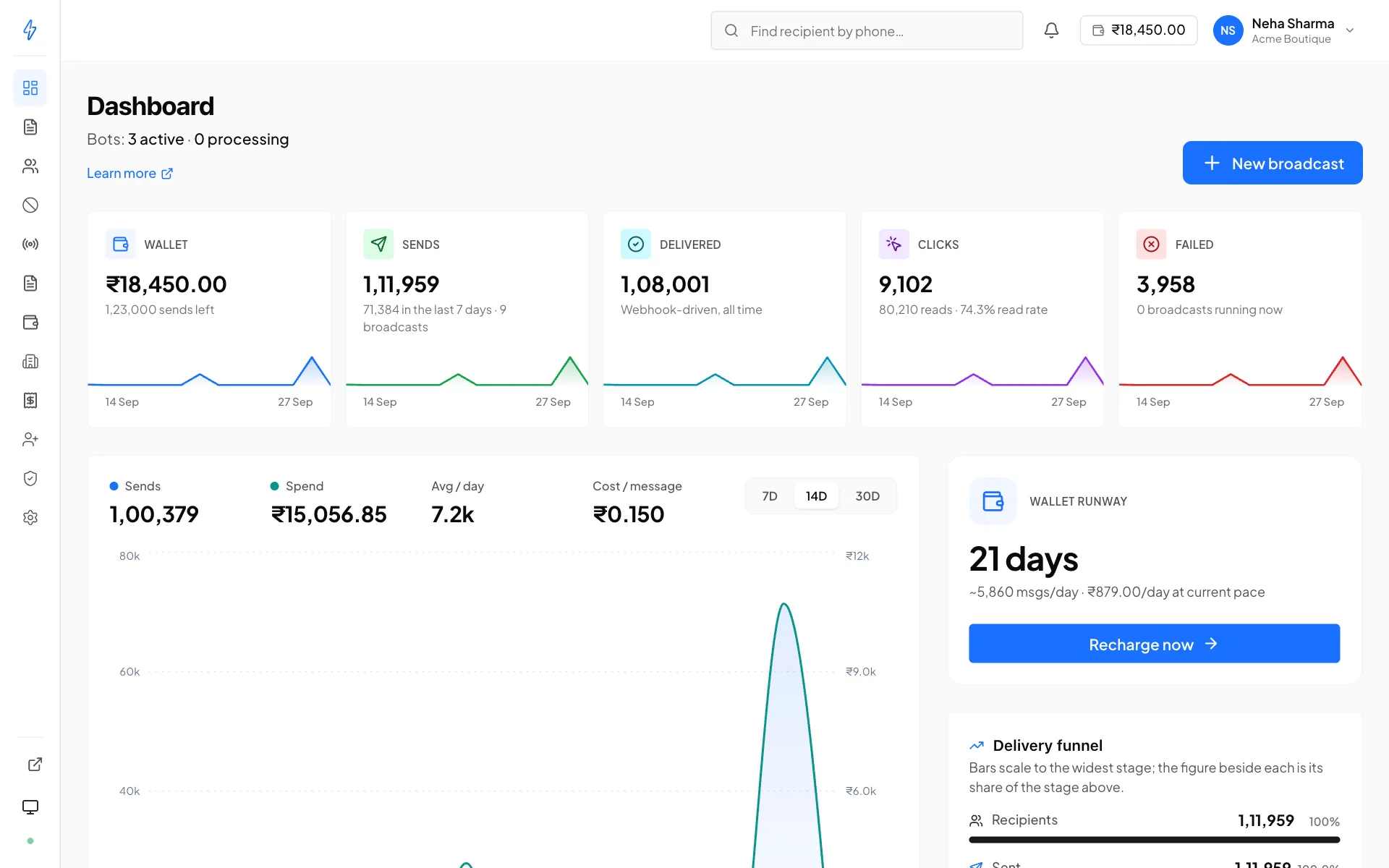
The top row shows your wallet and the all-time totals across your approved bots. A bot that is still in review, or was not approved, is left out of every total.
The ratios matter more than the absolutes. A delivery rate that drops on a list you have used before usually means the list has gone stale, see reachability checks. A read rate that falls while delivery holds steady is usually about timing or subject matter, not plumbing.
Wallet and runway
For prepaid accounts, a card shows the current balance, an estimate of sends remaining, and a runway, roughly how long the balance lasts at your recent burn rate.
Sends remaining is an estimate
It divides the balance by the per-message price of your default bot. If your bots are priced differently, the real number depends on which bot you send from. Treat it as a guide, not an invoice.
When the runway gets short you will see a banner here, and prepaid accounts also get email nudges as it crosses roughly seven days, three days, and twenty-four hours. Those exist so a campaign does not stop halfway.
Accounts on postpaid see Usage instead, messages this cycle and what has accrued. See Wallet and billing.
Live counters
While a broadcast is running, its numbers update on the dashboard in real time , no refresh needed.
The small coloured dot at the bottom of the sidebar tells you whether that connection is live:
Grey does not mean anything is lost, the send continues on the server and the numbers catch up when the connection returns.
Banners
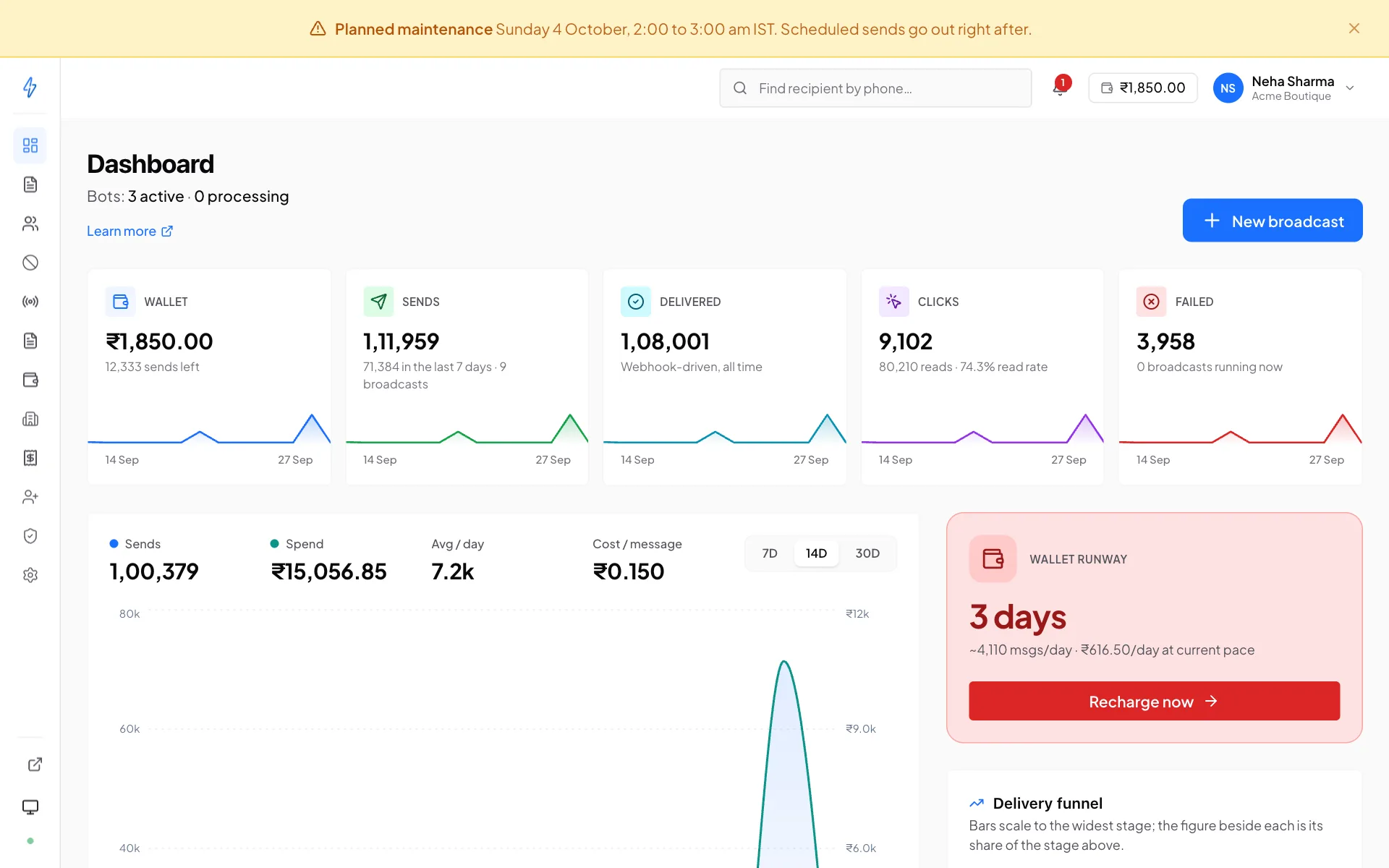
The dashboard surfaces anything blocking you, at the top, with the fix:
- No bot yet
A prompt to apply, or the first step of the setup checklist. Until a bot is active you cannot send anything. Apply for a bot →
- Application under review
Your bot is being verified. Nothing to do but wait, and build templates and lists meanwhile.
- Account suspended
New sends are blocked, with the reason stated. Everything else stays readable. Reply to the suspension email to resolve it.
- Low balance
The Wallet runway card turns amber when the balance lasts about a week, and red at about three days. Under three days, a red strip at the top of every page says how many hours are left. Top up →
- Daily spend limit
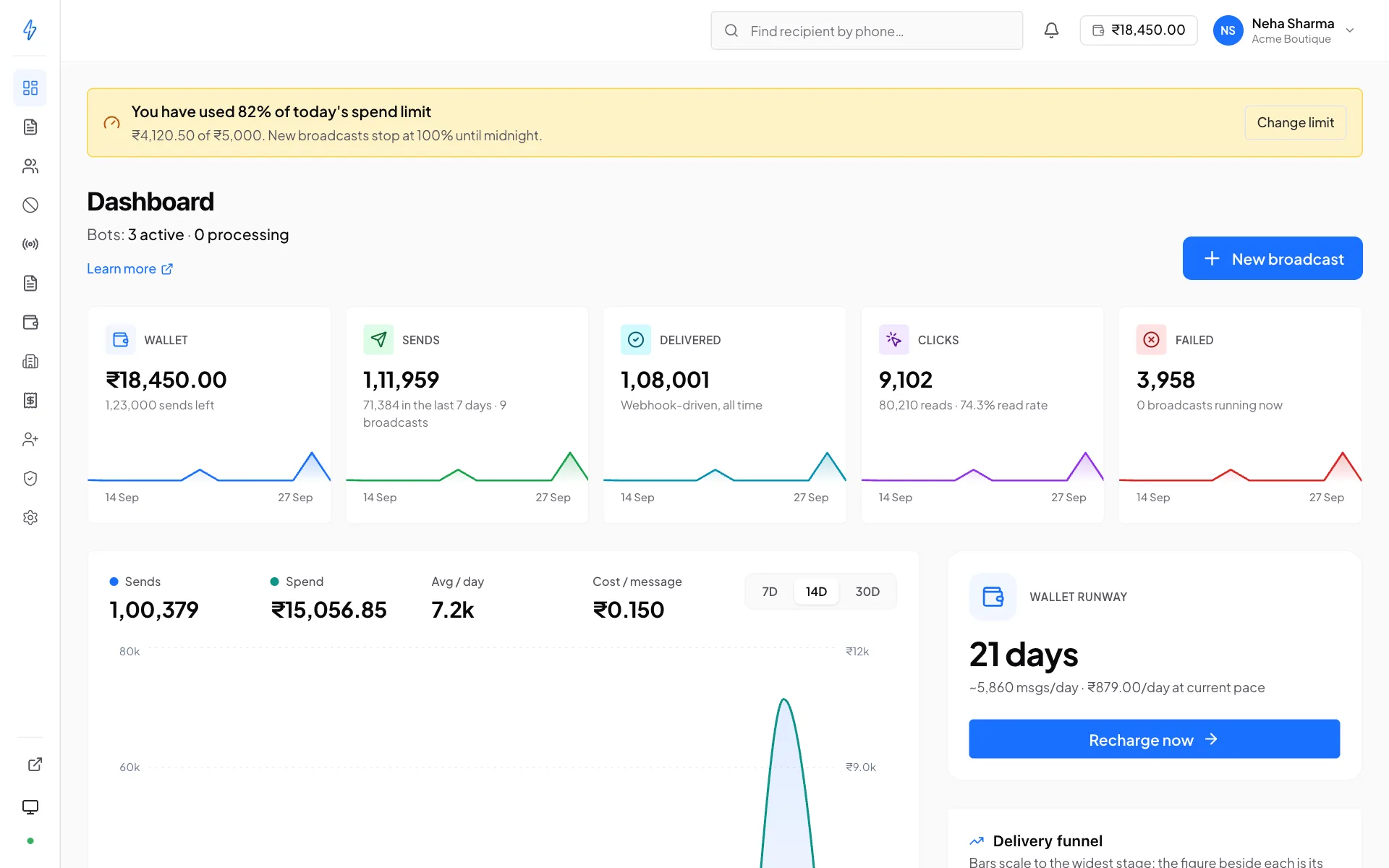
Owners who set a daily spend limit see a notice at 80% of it, for example You have used 82% of today's spend limit, and a red one at 100%, Today's spend limit is reached. Each says how much was spent and has a Change limit button. The notice goes away at midnight, India time, or when you raise the limit.
- Announcements
Occasional notices from Splashify, maintenance windows, changes worth knowing about. Dismissing one is per-user.
Finding one number
The sidebar has a find recipient box. Enter a phone number to jump straight to everything you have ever sent it, with delivery, read, click and reply history. It is the fastest route when a customer calls about a specific message. See Recipient history.
The onboarding wizard
On a fresh account, a short overlay walks through the first steps. Skippable at any point; Don't show again persists across sign-ins.