
Invoices
Your billing profile is the legal entity invoices are made out to. Get it right once, before your first recharge, and every invoice afterwards is correct.
Owner only
Billing profile and invoices are visible to the account owner alone.
Billing profile
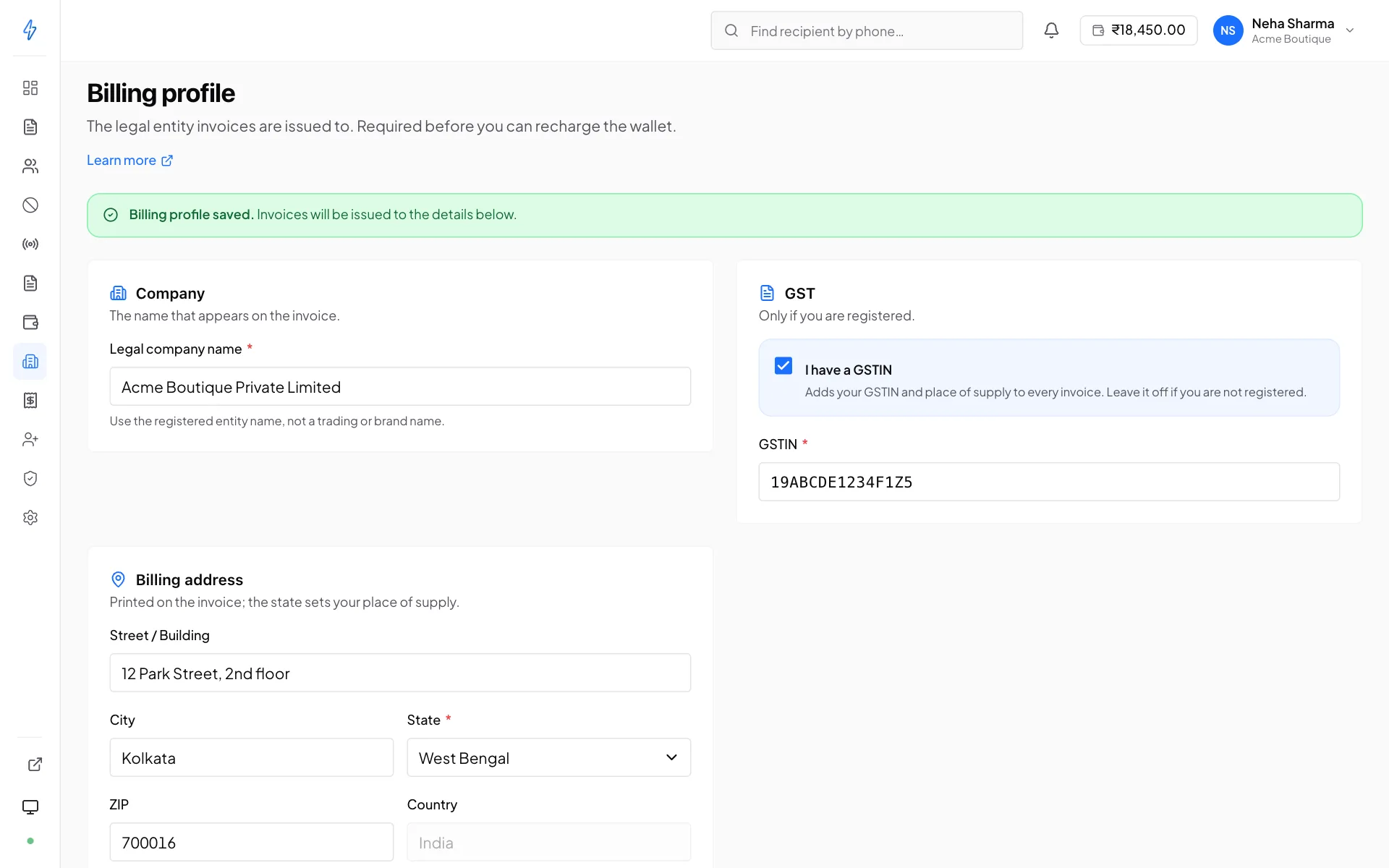
Found under Billing profile. It is required before you can recharge the wallet. This is deliberate, because an invoice raised to the wrong entity is painful to correct after the fact.
Check the GSTIN and state before your first recharge
These two decide the tax on every invoice. A wrong GSTIN means you cannot claim input credit; a wrong state means the wrong tax heads entirely. Both require a credit note and a reissue to fix, which is slow, and which your finance team will not enjoy.
Changing the profile later affects future invoices only. Invoices already issued are not reissued automatically.
Finding invoices
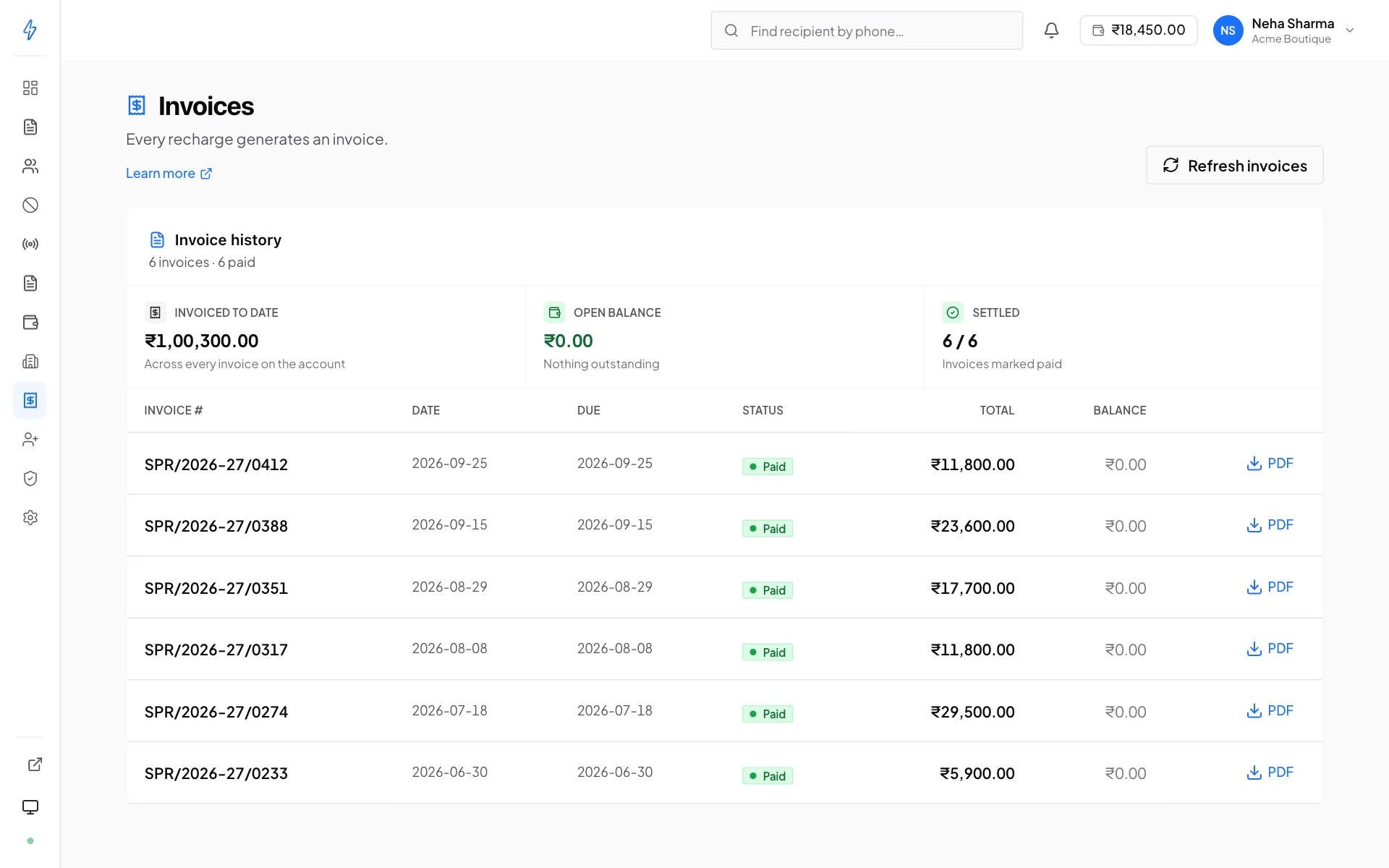
Go to Invoices. Each row shows the invoice number, date, amount and status, newest first. PDF downloads it.
If a recent invoice is missing, use Refresh invoices. It re-pulls from the billing system. Invoices are generated on a cycle rather than instantly at payment, so a very recent recharge may not have one yet.
What is on an invoice
Invoices cover what you paid for, not what you sent:
- On prepaid, an invoice corresponds to a recharge, money added to the wallet
- On postpaid, an invoice covers a billing cycle's consumption: one line per message type, each counting the messages the network accepted in the cycle, less the ones that failed after sending
Either way, taxes are applied per your billing profile's GSTIN and state.
Failed after billing (postpaid)
A message can fail after its cycle was already invoiced. It then comes off the next invoice, on its own line, at the price it was billed at:
Tax is worked out on the net amount. Where the amount cannot be a line of its own, it appears as a discount on that message type's line, with the same wording in the description. A Charged again line is the opposite case: a message taken off an earlier invoice that was reported delivered after all. If there is no next invoice to take a failure off, the amount goes to your wallet as credit instead. See Wallet and billing.
Invoices are not a usage report
For what was actually sent and delivered, use Reports. For how the balance was drawn down, use the wallet transaction history. An invoice tells your accountant what you were charged; it does not break down which broadcast consumed what.
Common questions
- The invoice has the wrong company name
The billing profile was wrong when it was issued. Fix the profile so future invoices are right, then email [email protected] with the invoice number to have the existing one corrected.
- I paid but there is no invoice
Try Refresh invoices first. Invoices are generated on a cycle, so a recharge from the last few minutes may simply not have one yet.
- I need invoices for a whole financial year
Download them individually from the list, or ask support for a consolidated statement.
- Our GSTIN changed
Update the billing profile immediately. Everything issued from that point uses the new number; past invoices keep the old one, which is correct.