
Opt-out list
Phones on this list are silently dropped from every broadcast. Each bot has its own list, and a number you add by hand can cover all your bots at once. It is the single most important compliance control in the panel.
Go to Opt-out list. Owners and operators can see and change it; viewers do not have access. With more than one bot, pick the bot at the top of the page to see its list.
How numbers get here
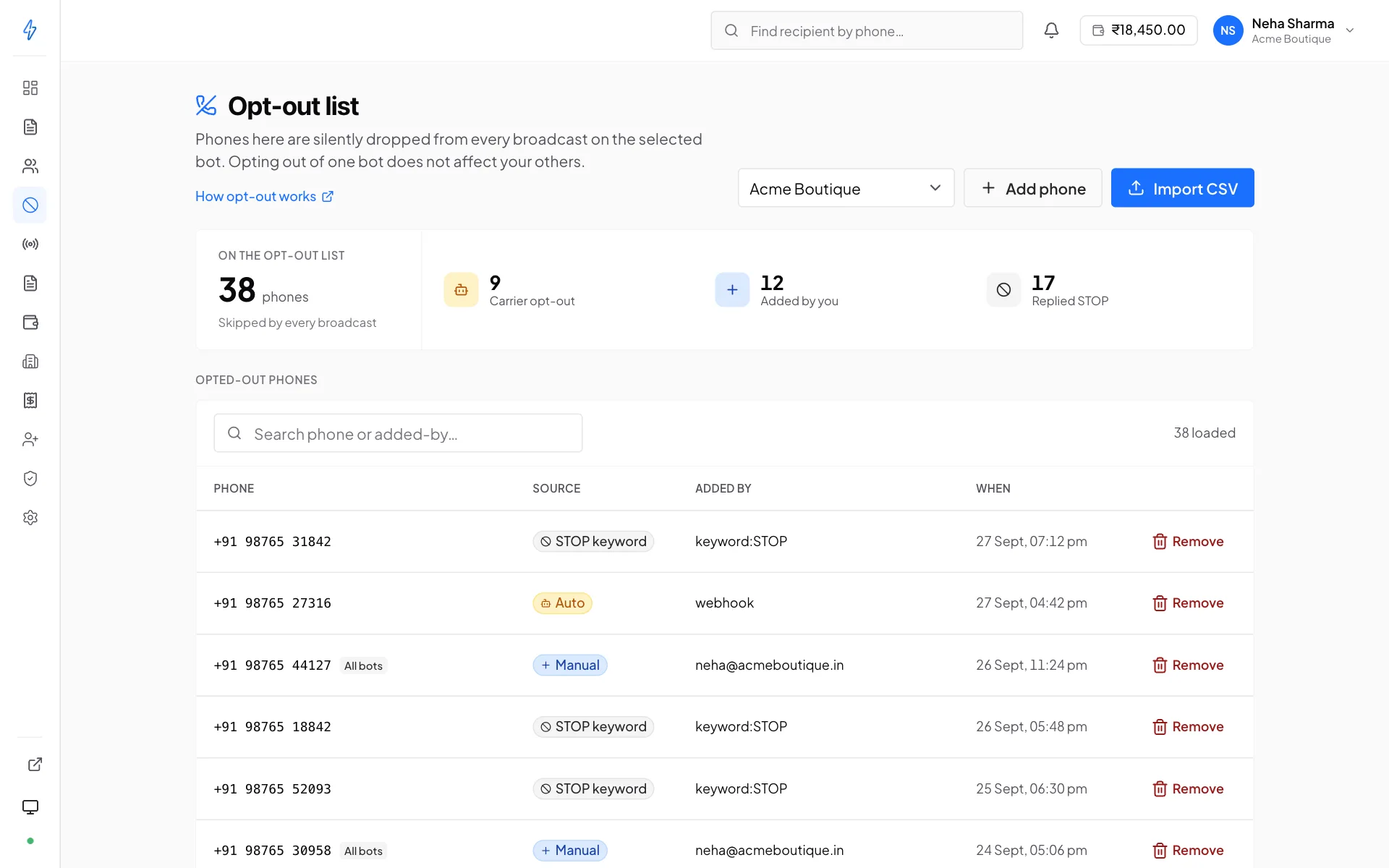
- The recipient replied STOP
Automatic and immediate. Any recipient of any message from any of your bots can reply STOP and is added to that bot's list at once. This cannot be disabled.
- You added them manually
A complaint by phone, an email to support, a request in person, anything that reaches you outside RCS. Add the number here so it is honoured like any other.
- You imported them
A CSV of suppressions from another system, a previous vendor, or your CRM's do-not-contact flags. They go on the list of the bot picked at the top of the page.
- They unsubscribed in Google Messages
RCS conversations carry the carrier's own unsubscribe control, separate from anything you send. Tapping it suppresses that bot for that person immediately, without them ever replying to you.
START removes a number, re-subscribing them. Both keywords are handled by built-in auto-reply rules that are always active and cannot be deleted. You can only change the wording of the confirmation they send back.
Unsubscribes you never see coming
A recipient can stop your messages without replying to them. Google Messages
puts an unsubscribe control inside the RCS conversation itself, and tapping it
tells the carrier, which tells us. The number lands on this list marked
carrier_unsubscribe, and the person may have no idea they have done anything
you can see.
It is scoped to the bot they were talking to, not the whole account, because that is the conversation they left.
Resubscribing works the same way in reverse: the same control turns messages back on, and the number is removed from the list without you doing anything.
Read this before assuming a list has decayed
A number suppressed this way looks identical in your counts to one that never had RCS. The difference is that this one is a person who chose to leave, and the opt-out list says which is which. Filter by reason before rebuilding a list.
Which bots it applies to
Each bot has its own list. A STOP reply, or an unsubscribe from the phone, goes on the list of the bot the person was talking to. Your other bots can still message them.
A number you add by hand goes on All bots unless you choose Only the bot picked at the top. All bots means every bot you have now and every bot you create later. Those numbers carry an All bots tag on every bot's list.
When someone asks you to stop, choose All bots
Someone who calls or writes to ask you to stop usually means your company, not one sender. Honouring it on only one bot is exactly the behaviour that gets a verified sender suspended by the carrier.
Adding numbers by hand
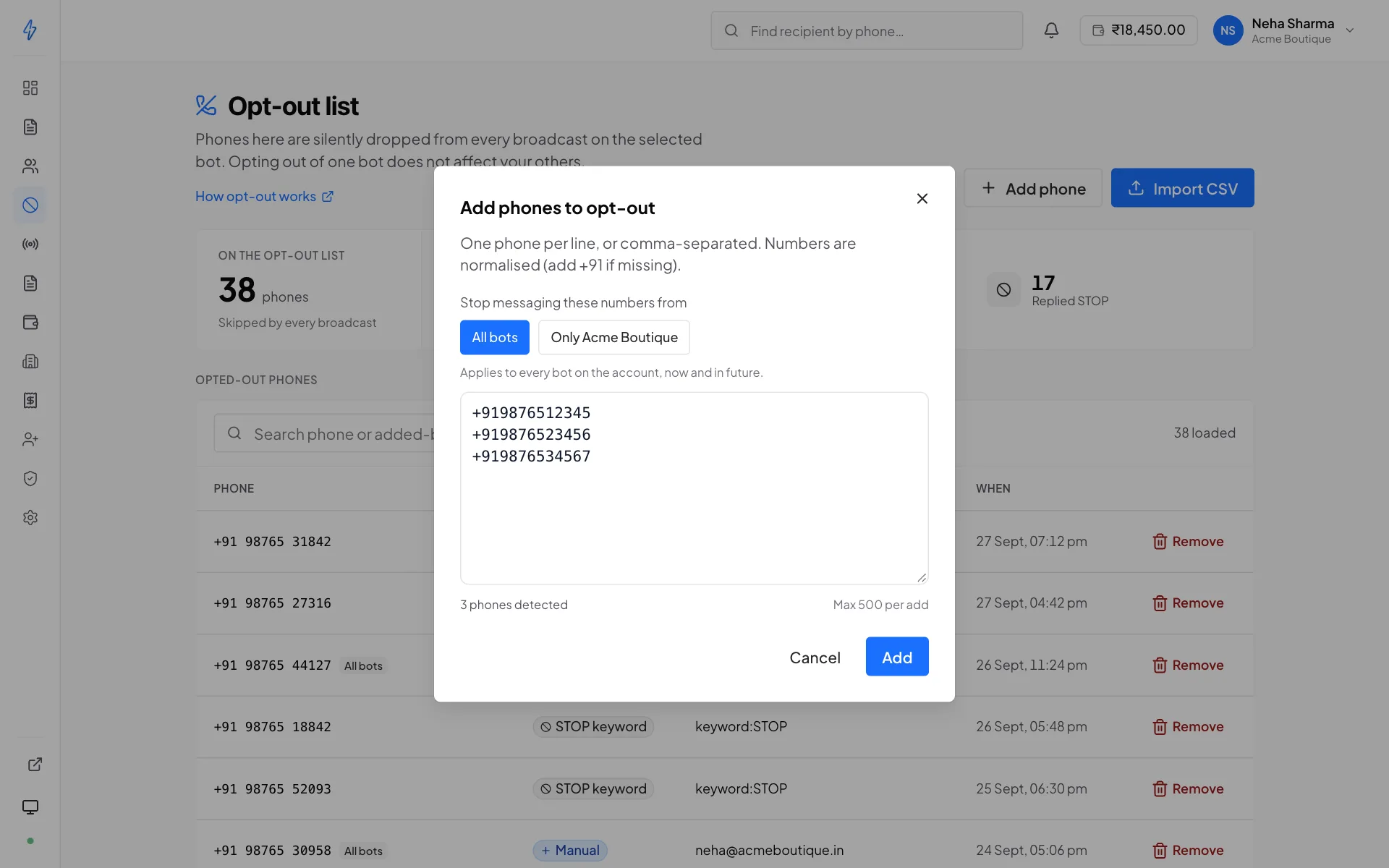
Add phone, then paste or type numbers in E.164 (+919876543210), one per
line or separated by commas. An Indian number without +91 gets it added. Up
to 500 numbers at a time.
Choose All bots (the default) or Only the bot picked at the top of the page, then press Add.
Importing a CSV
Same shape as a contact-list import, one column of phone numbers, E.164, with a header row:
phone
+919876543210
+919812345678
Invalid rows are skipped and reported; the rest import.
Removing a number
Search for it and remove it. Do this only when you have a record of them asking to be re-subscribed, a reply of START, a form submission, a written request. Removing an opt-out because a campaign underperformed is how accounts get suspended.
What suppression actually does
At send time, every broadcast filters its audience against this list. Suppressed numbers are:
- Not messaged
- Not charged
- Not counted as failures
So a broadcast to a 10,000-member list can legitimately target 9,840 people. The broadcast's targets view shows the breakdown, so the gap is never a mystery.
A one-off send is suppressed too
The filter is not a broadcast-only feature. A direct send to a suppressed number is refused with a clear error rather than going out.
Searching
The list is searchable by number. Use it when a customer says "I asked you to stop and you keep messaging me". You can confirm in seconds whether the suppression is recorded, and when.
Why you should care about this page
RCS is a verified channel. The carrier reviewed your identity to let you use your brand's name and logo, and complaints about a verified sender are treated seriously. Sustained sending to people who have opted out is the fastest route to a suspended bot, and suspension takes your transactional traffic down with your marketing.
Treat this list as authoritative, keep it current, and never delete from it speculatively.