
Auto-replies
RCS is two-way. When someone replies to one of your messages, an auto-reply rule can answer immediately, and two rules that handle opt-out are always on.
Auto-replies are configured per bot, from the Auto-reply link on the bot's row in Settings → Bots. Operators and owners can change them; viewers can read.
How a rule works
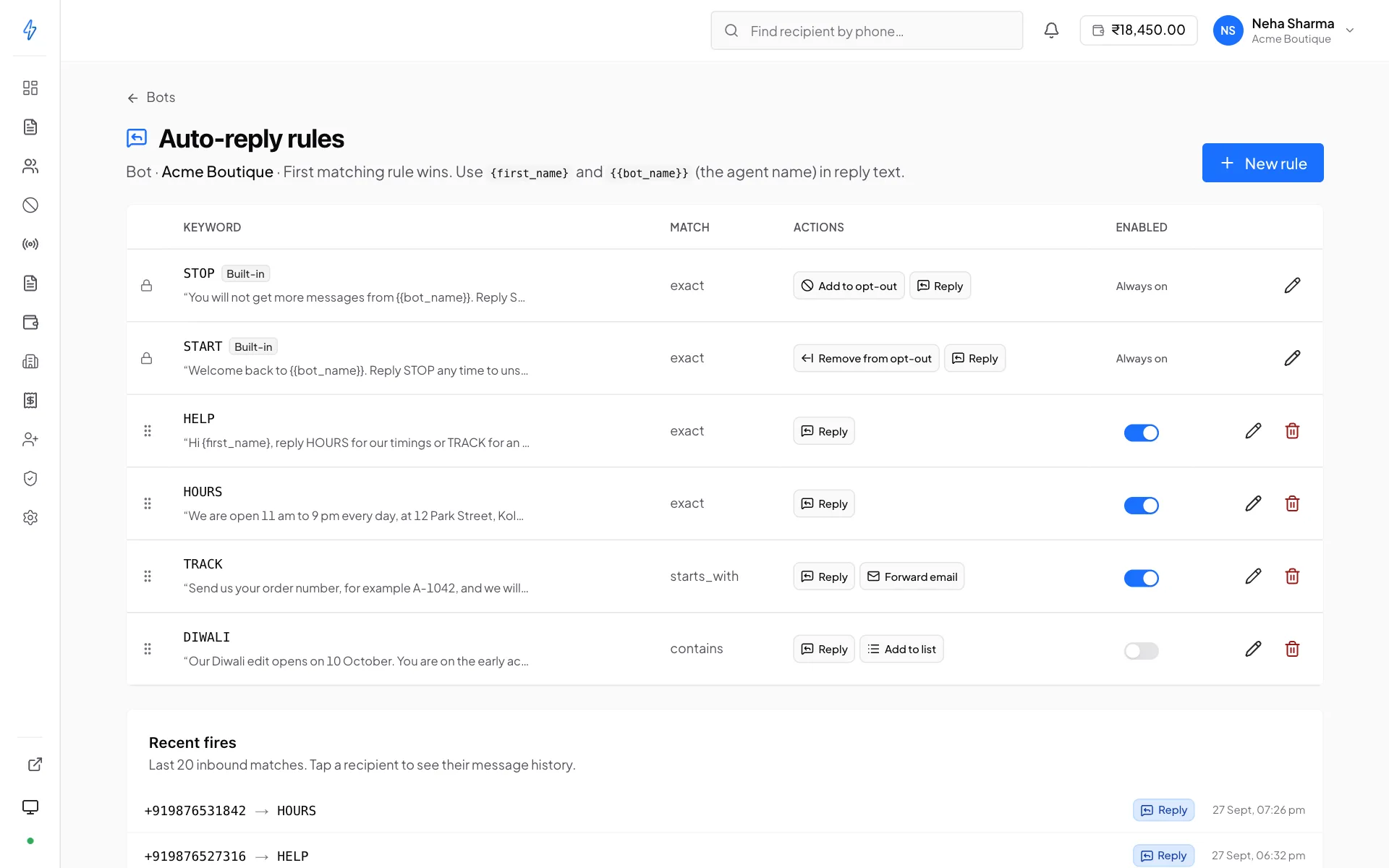
A rule has a keyword and a reply. When an inbound message matches the keyword, the reply is sent back automatically.
Rules are evaluated in order, and the first match wins. Order therefore matters: a broad rule near the top will shadow every specific rule below it. You can drag rules to reorder them.
Specific rules first, catch-all last
Put narrow keywords at the top and general ones at the bottom. A rule matching “order” placed above one matching “order status” means the second never fires.
STOP and START
Two rules exist on every bot and cannot be deleted or deactivated:
You can edit the wording of the confirmation each sends, matching your brand voice is fine and encouraged. What you cannot change is the behaviour: the suppression happens regardless of what the reply says.
This is not optional, and should not be
Honouring opt-out is what keeps a verified sender verified. The rules are locked because an account that could switch them off would eventually switch them off.
A STOP to one bot suppresses that number on that bot only. To stop every bot messaging a number, add it on the Opt-out list with All bots.
Writing your own rules
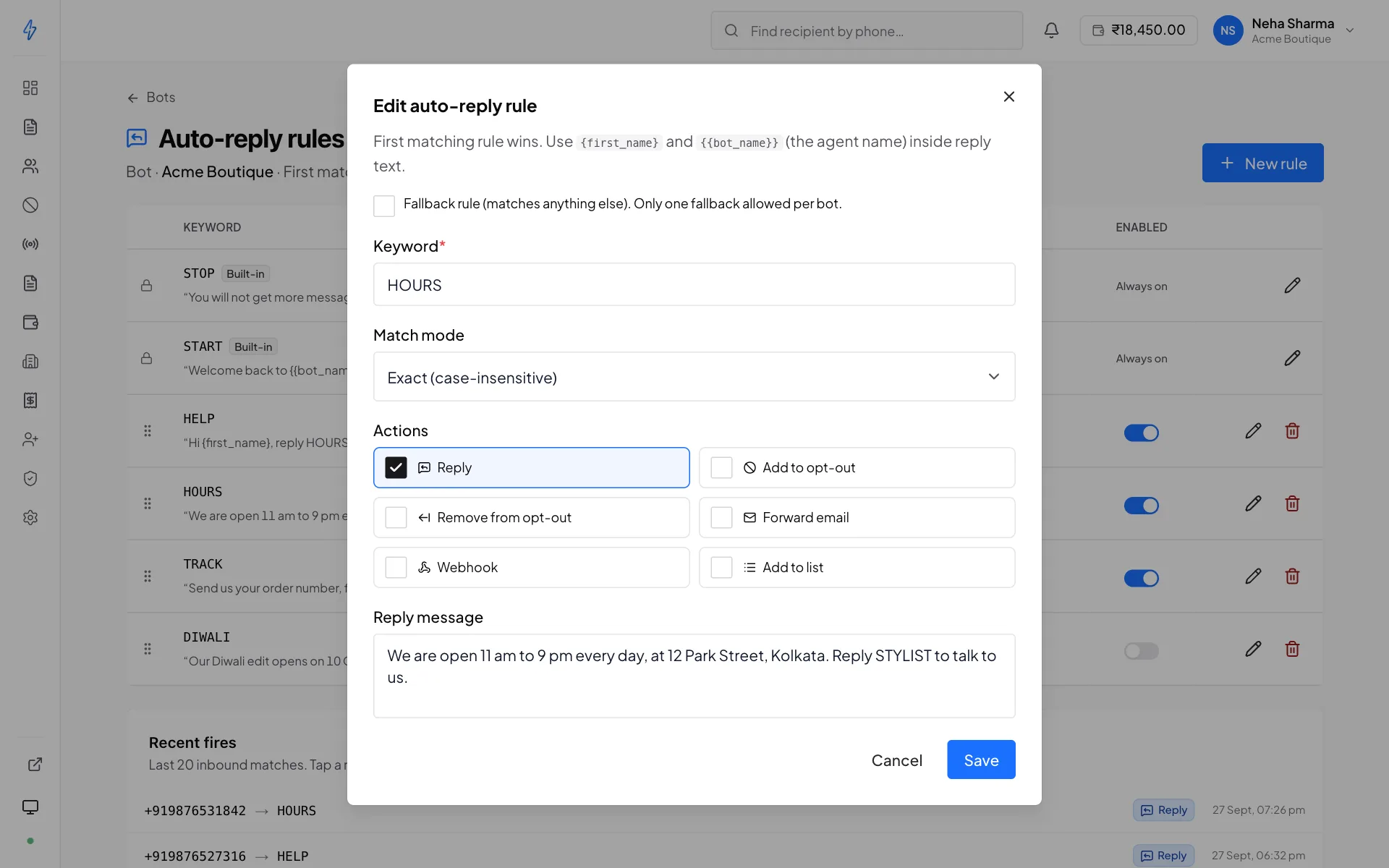
Good candidates are the questions you get over and over:
Keep replies short and give a route to a person. An auto-reply that answers the easy 80% and hands the rest to your support number is more useful than one that tries to be a chatbot.
Auto-replies are not a support channel
Anything that needs a human still needs a human. If your rules leave people in a loop with no way out, they will reply STOP, and that is permanent.
Turning rules on and off
Each rule has an active toggle. Deactivating keeps the rule and its wording but stops it firing, useful for a seasonal rule, or while you rewrite one.
The fires log
Each bot's auto-reply screen shows recent fires: which rule matched, when, and for which number. Use it to check that:
- A new rule is actually matching what you expected
- A broad rule is not shadowing the ones below it
- The volume looks sane, a sudden spike in HELP usually means something else broke
Rules are per bot
A rule on your promotional bot does not exist on your transactional bot. If you want the same HELP response on both, create it on both.
The one exception is STOP and START, which exist on every bot automatically. Each writes to the opt-out list of the bot it was sent to.